The picker
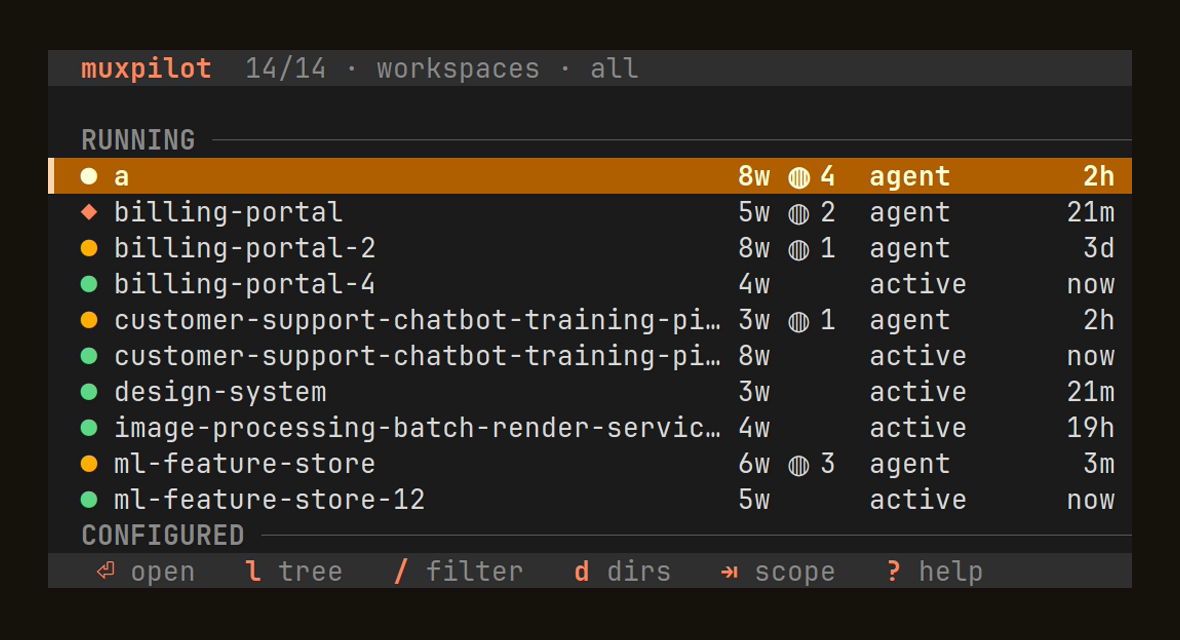
A native tmux popup — not an fzf wrapper.
Fuzzy filter, grouped running and configured targets, live details, and a preview pane — all rendered by MuxPilot itself, driven entirely from the keyboard.
Agent-aware tmux control
A fast Rust picker for tmux sessions, tmuxinator layouts, working directories, and the coding agents running inside them.
Why MuxPilot
The picker
Fuzzy filter, grouped running and configured targets, live details, and a preview pane — all rendered by MuxPilot itself, driven entirely from the keyboard.
Agent awareness
MuxPilot reads agent hooks when present and falls back to process and pane signals — surfacing a live ◍ count and status (agent / active) next to every session.
Window tree
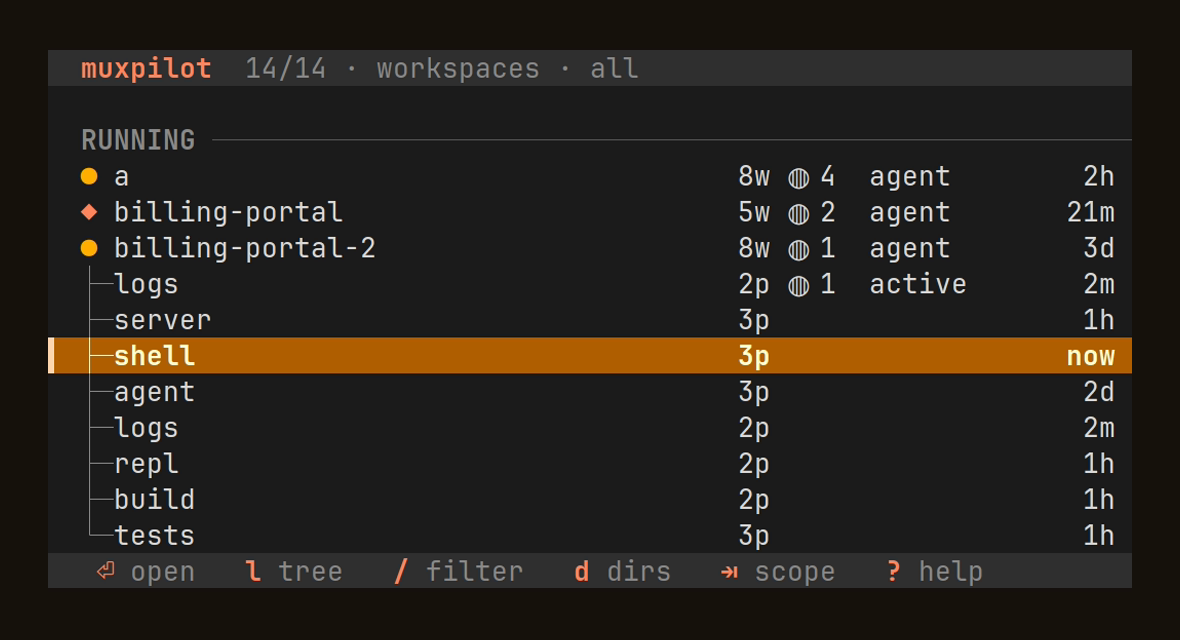
Press l or Space to expand a running session into a tree of its windows — pane counts, agents, and activity per window — then jump straight to the one you want.
Scriptable
Pipe muxpilot state --json into status bars, sidebars, and your own tooling. Structured, versioned, and agent-aware — the same data the picker draws.
{
  "schema_version": 1,
  "source": "tmux",
  "current_session": "billing-portal-2",
  "sessions": [
    {
      "name": "billing-portal-2",
      "windows": [
        {
          "id": "@20",
          "index": 0,
          "name": "logs",
          "active": true,
          "panes": [
            {
              "id": "%40",
              "active": true,
              "role": "agent",
              "current_command": "claude",
              "agent": {
                "kind": "claude",
                "status": "working",
                "source": "hook",
                "confidence": 95,
                "attention": false
              }
            }
          ]
        }
      ]
    }
  ]
}
Drill in
Press l or Space on a running session to unfold it into a tree of its windows, each with its pane count, agents, and last activity. Open any window directly with Enter; h collapses the session again.
Live in tmux
Install through TPM with set -g @plugin 'yatsyk/muxpilot', or wire the popup binding by hand. See the tmux plugin guide.